
Design it your way
Start from a polished résumé template and make it yours in minutes — or open a blank canvas and build something nobody else has. Same content, same ResiPath URL. You pick the tool, and you can switch whenever you like.
Polished in minutes, not weekends
Pick a design that already looks like a great résumé, drop your content in, and adjust anything you want. No layout decisions to agonize over — the structure is handled, so you spend your time on what it actually says.
12 designs, and counting
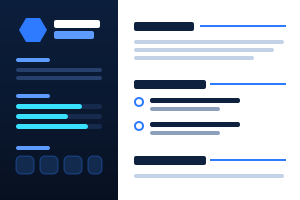
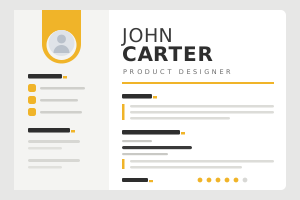
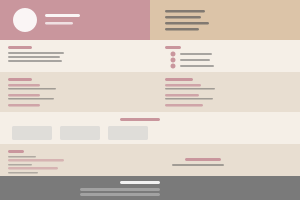
From clean and corporate to bold and creative — every one built as a résumé first, so the hierarchy reads right to a hiring manager at a glance.
New templates ship regularly and land in your account automatically. Pro includes every one we've made and every one we add.
How templates work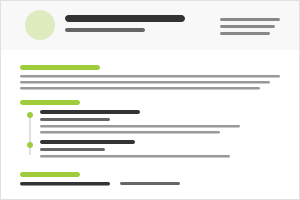
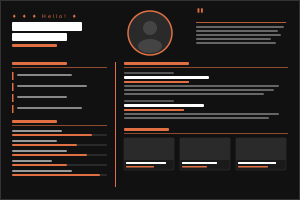
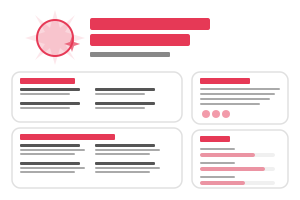
Your colors, everywhere
Set one accent and it flows through headings, rules, icons, and skill bars. Or click any single element and recolor just that.
Fonts and sizing
Swap typefaces, dial in font sizes, weights, and spacing per element until the hierarchy reads exactly how you want.
Reorder and hide sections
Drag sections between columns or hide the ones you don't need. Hidden sections keep their slot, so bringing one back puts it right where it was.
Page backgrounds
Give any template its own background — a solid color or an image, with cover, contain, tile, and opacity control.
10 matching print layouts
Every design has a print counterpart tuned for paper, so the PDF a recruiter downloads looks deliberate — not like a squashed web page.
Edit live, publish when ready
Changes render instantly in the preview and stay private until you publish. Check desktop and mobile before anyone else sees it.
A blank page, with guardrails
When a template isn't the shape of what you want to say, open the Canvas. Drag in designed components, bind them to your real resume data, and arrange the page however you like — without needing to design from zero or write a line of code.
Theme-driven, not theme-locked
Every Canvas page runs on a theme. Pick Stellar for dark and high-contrast, or Bright for light and warm — then tune the accent, highlight, fonts, and background on top.
Because both themes speak the same design language, switching restyles the page you already built instead of making you start over.
Explore the CanvasSwitch themes, keep your work
Changing theme swaps the styling only — every block, word, and image stays exactly where you put it. Build once, try both looks, keep the one you like.
17 designed components
Hero, split image, feature cards, stat rows, testimonials, Q&A, pricing-style cards, a scrolling skill marquee, and more. Drag one in and it already looks finished.
Sections that stay in sync
Drop in any of 7 live resume sections. Update a job in your dashboard and your published page follows — no re-entering, no re-publishing.
Your own images
Double-click any image block to upload from your computer. Photos crop cleanly to their frame, and your uploads stay in a library you can reuse.
Control down to the element
Set the page accent, highlight, fonts, and background — then click any single element and override its font, color, spacing, borders, or size.
Draft privately, publish once
Everything autosaves to a private draft and checks against desktop, tablet, and mobile. Nothing reaches your public page until you hit Publish.
Which one should you use?
Most people start with a template and never need anything else. The Canvas is there when you want it — and you can switch back and forth without losing either version.
Not sure? Start with a template — switching to the Canvas later takes one click, and your content comes with you.
Create your pageReady to build your brand?
Your resume deserves more than a static PDF buried in an inbox. ResiPage gives you a living, shareable online presence at your own unique URL — start from any of our professionally designed templates and make it entirely your own, or design a one-page site from scratch in the Canvas builder. Updated in real time, optimized for every screen, and built to make a lasting impression.
Get Started